RGB vs HSV in Image Processing: Which Color Model Should You Use?
1. What is Color?
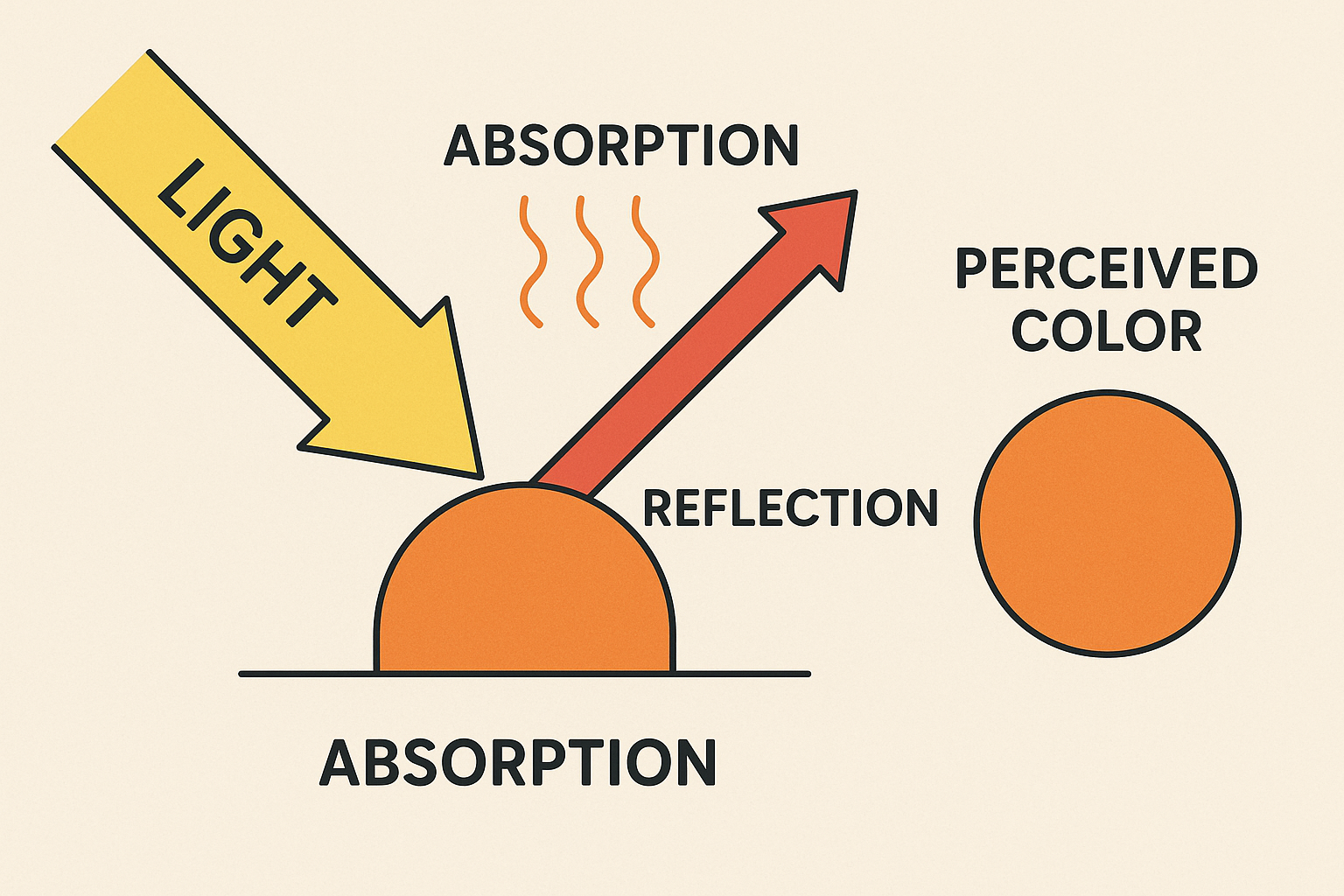
Color is a visual sensation created by our brain as it interprets light of different wavelengths. When light hits an object, it reflects certain wavelengths and absorbs others. The reflected combination determines the color we perceive. In image processing, we represent color numerically using color models—systems that encode color as sets of numbers.
2. What is a Color Space Model?
A color space model is a mathematical way to represent and organise colours. It defines how color components are stored and manipulated digitally.
Some popular color models include
- RGB (Red, Green, Blue)
- HSV (Hue, Saturation, Value)
- CMYK (used for printing)
- YUV/YCbCr (used in video compression)
Each model serves different purposes and suits different applications.

Now that we understand what color is and how color spaces work, let’s focus on two of the most widely used color models in image processing: RGB and HSV. Both models represent color mathematically but serve different purposes:
- RGB is fast and hardware-native, making it ideal for display and general image processing.
- HSV, on the other hand, aligns more closely with human color perception, making it powerful for tasks like segmentation and tracking under varying lighting.
In the next sections, we’ll explore each model in detail — their origins, how they work, where they shine, and what limitations you need to keep in mind.
RGB Space Color Model
1.What is RGB?
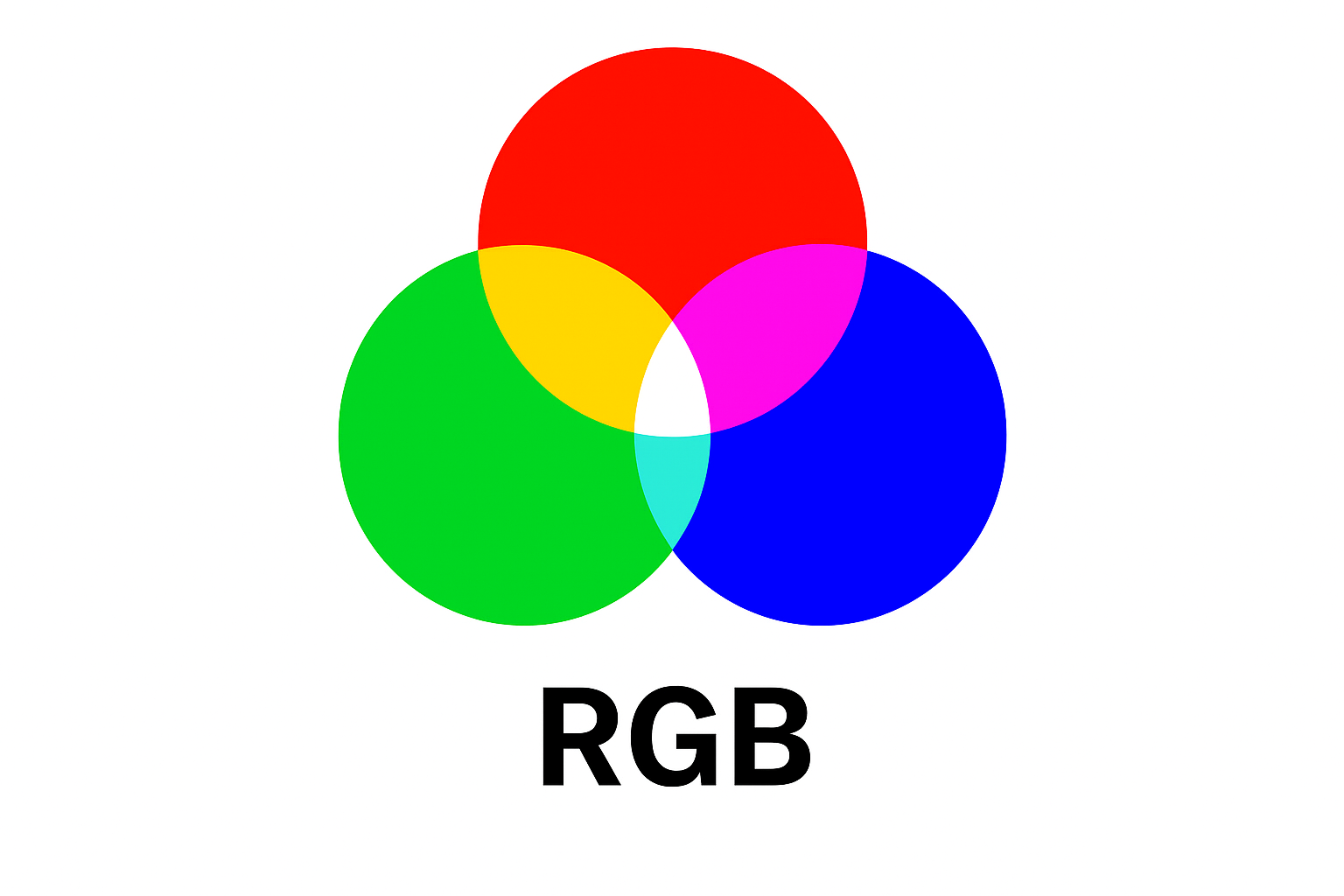
RGB stands for Red, Green, and Blue—the three primary colors of light. Digital devices like monitors and cameras use this model because it mirrors how human eyes perceive light.
- (255, 0, 0) is bright red
- (0, 0, 0) is black
- (255, 255, 255) is white
RGB combines varying intensities of red, green, and blue to create millions of colors.
Origin : From Physics to Screens
The RGB color model is based on the trichromatic nature of human vision—our eyes have three types of cone cells sensitive to red, green, and blue wavelengths. This model has been used since the mid-19th century in color science and photography.
- Thomas Young and Hermann von Helmholtz (early 1800s): Proposed the trichromatic theory of vision, which led to the idea of combining red, green, and blue lights to produce other colors.
- James Clerk Maxwell (1860s): Performed one of the first color photography experiments using RGB filters.
2. Where RGB is Used?
-
Displays (monitors, TVs)
RGB is the standard for all digital display technologies, including LCDs, LEDs, OLEDs, and projectors. Each pixel on your screen is made up of tiny subpixels—one red, one green, and one blue—that adjust their intensity to produce millions of colors. Whenever you watch a movie, play a video game, or view photos on your screen, you’re looking at an RGB-rendered image. Because screens emit light directly, and RGB is designed for additive color mixing — exactly how light behaves.
- Cameras and Scanners
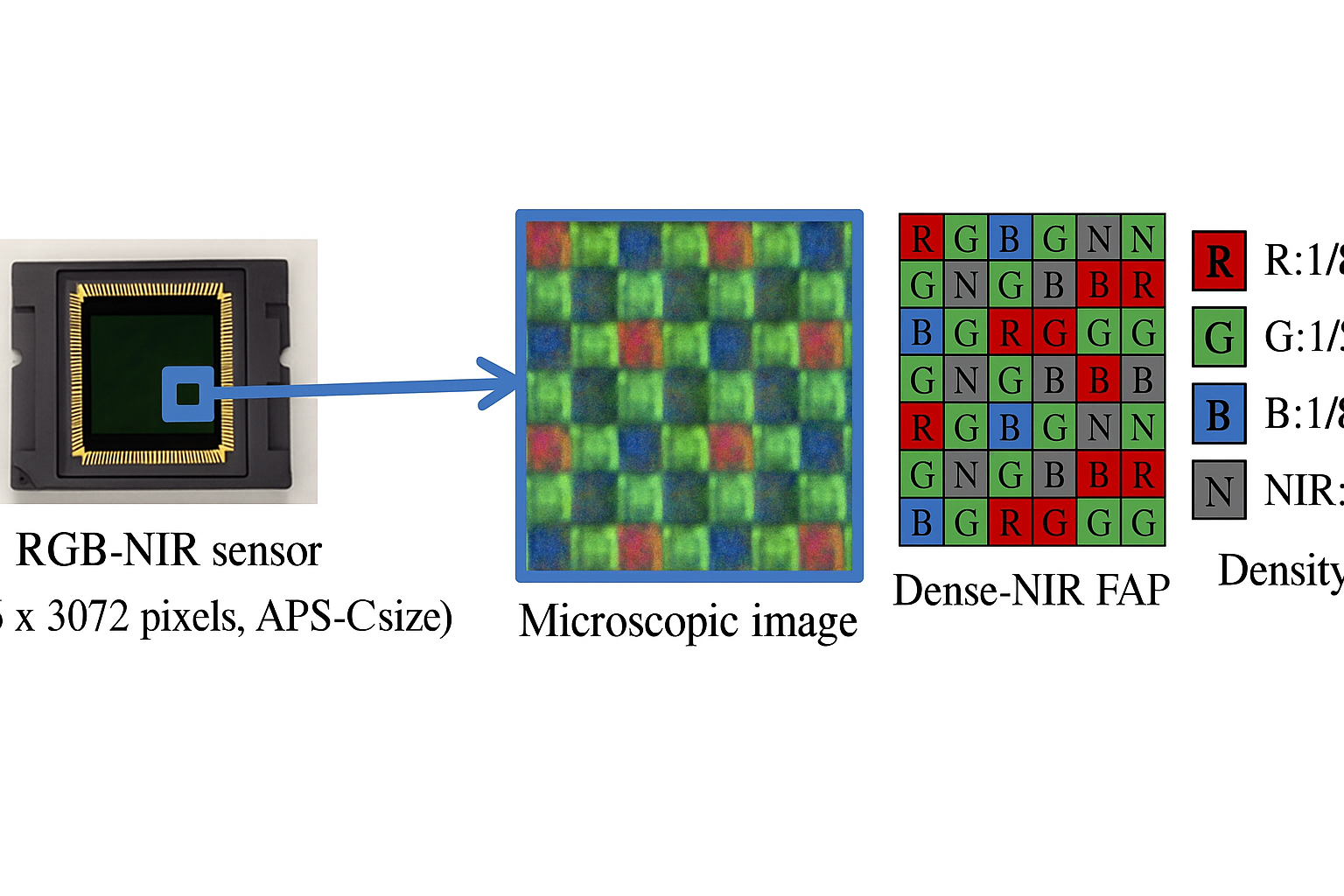
Digital cameras, webcams, and flatbed scanners all capture images in the RGB color space. These devices use sensors (like CCD or CMOS sensors) that detect the intensity of red, green, and blue light in each pixel of the scene. Because the sensor needs to record how much of each primary color is reflected from the scene to reconstruct the full-color image accurately. This also applies to smartphone cameras, where the raw data is typically in RGB before any processing or compression.
3. Limitations:
While RGB is efficient and widely supported, it’s not always the best choice — especially when your task involves identifying or manipulating specific colors. Here are some of its key drawbacks:
-
Not Intuitive for Humans
The RGB model is designed for machines, not people. Humans think of colors in terms of “red,” “blue,” “light green,” or “bright yellow” — but in RGB, you adjust three interdependent values (R, G, and B), which doesn’t naturally map to how we perceive or describe colors.
-
Hard to Isolate Specific Colors
If you need to detect or isolate a particular color in an image (like finding all red objects), RGB makes it tricky. Because all three channels contribute to the final color, and there’s no direct way to specify “find red” without writing complex rules to account for varying R, G, and B combinations.
-
Sensitive to Lighting Changes
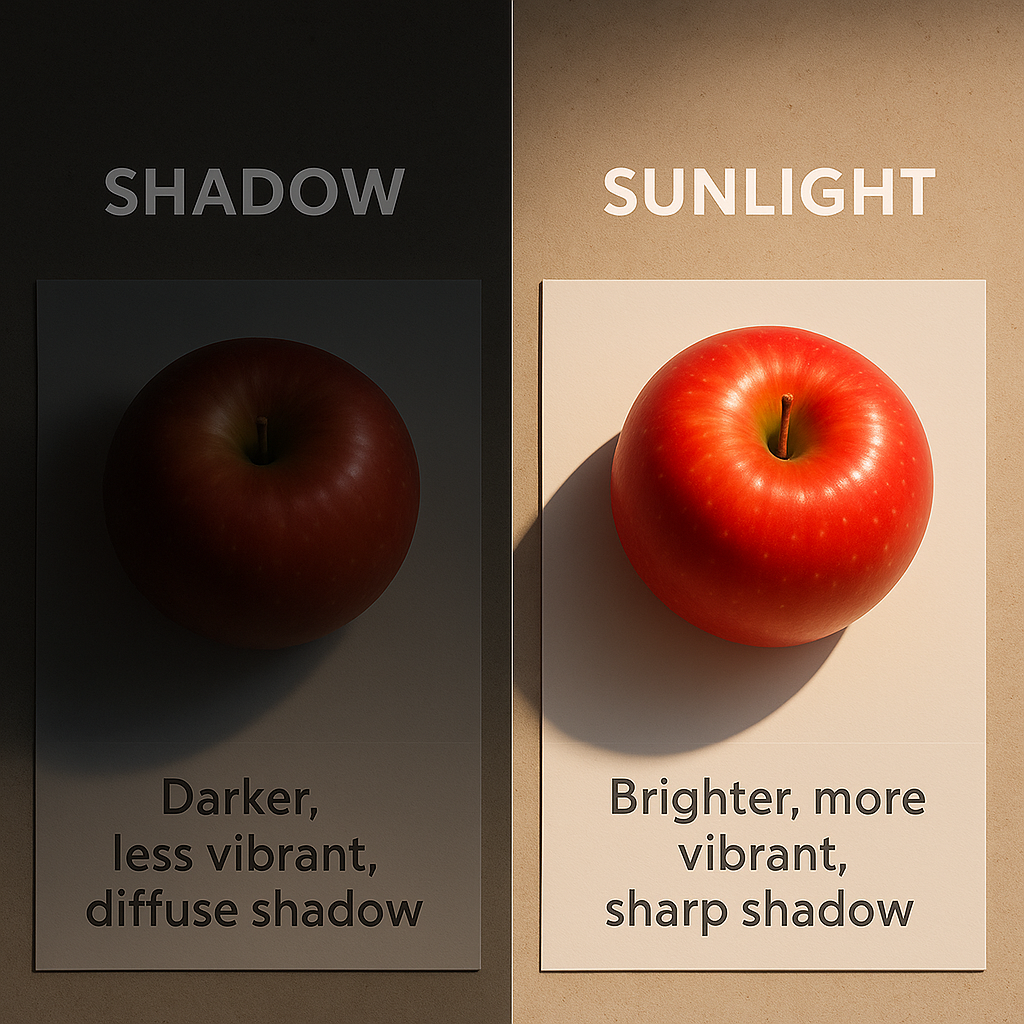
One of RGB’s biggest weaknesses in computer vision tasks is its sensitivity to lighting variations. When the lighting changes — say, moving from sunlight to shadow — all three RGB components can shift unpredictably, making it harder to segment or track colors reliably.
HSV Color Space Model
1.What is HSV?
HSV stands for:
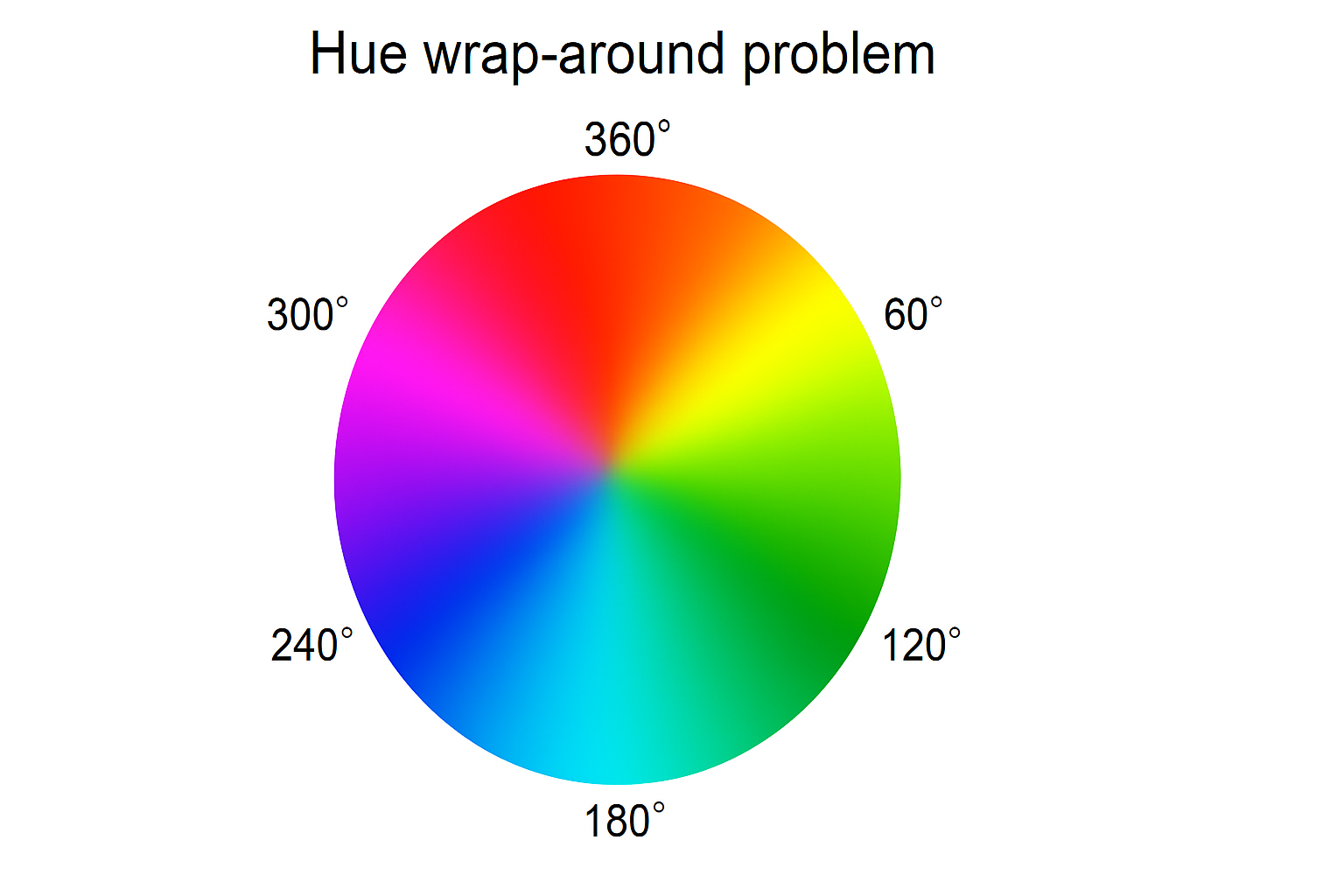
- Hue (H): the type of color (0–360°, red at 0°, green at 120°, blue at 240°)
- Saturation (S): color intensity or purity (0–1)
- Value (V): brightness (0–1)
This model separates color from brightness, making it more intuitive.

Origin: Designed for Intuition
The HSV color model (Hue, Saturation, Value) was developed in the 1970s by computer graphics researchers who wanted a model that was more intuitive for humans to manipulate than RGB.
- Alvy Ray Smith (1978), a co-founder of Pixar, is widely credited for formalizing and popularizing the HSV model in the context of digital image editing and computer graphics.
- He introduced HSV as part of a broader effort to develop user-friendly color selection tools in graphic design software.
Why HSV Was Created:
- RGB is not intuitive: Changing one RGB component often affects both color and brightness unpredictably
- HSV separates:
- Hue (type of color),
- Saturation (color intensity) , and
- Value (brightness), which aligns better with how humans think about color.
-
Enabled artists and designers to select colors more naturally in tools like Adobe Photoshop, Paint, GIMP, etc.
2. Where HSV is Used:
The HSV color space shines in applications where color needs to be analyzed or manipulated in ways that align with human perception. By separating hue (the type of color) from saturation and brightness, HSV makes it easier to work with specific colors, even under changing lighting conditions.
-
Color-Based Segmentation and Object Detection
In computer vision and robotics, HSV is the go-to color space for detecting and segmenting objects based on color.
For example:
- Detecting red traffic signs or yellow bananas in an image
- Tracking a green ball across frames in a video
- Separating foreground objects from background based on color
Why?
Because HSV allows you to define color ranges based on hue alone, making your algorithm more robust to changes in brightness or shadows.

-
Graphic Design and Color Pickers
Most graphic design and image editing software (like Photoshop, GIMP, Illustrator) use HSV (or its close relative HSL) in their color pickers.Because it’s more intuitive for designers and artists to adjust hue, saturation, and brightness than to fiddle with RGB sliders.
For example:
- Hue: Choose the basic color (red, green, blue, etc.)
- Saturation: Make the color vivid or muted
- Brightness: Make the color lighter or darker

-
Applications Under Variable Lighting
In environments where lighting changes — such as outdoor surveillance cameras or industrial inspection lines — HSV can help maintain reliable color detection. Because hue remains relatively stable even as lighting intensity changes, it’s a better choice than RGB in these scenarios.
In short, whenever your task involves human-friendly color manipulation, color-based detection, or robustness to lighting variations, HSV is often the smarter choice.
3. Limitations of HSV
While HSV is excellent for intuitive color manipulation and segmentation, it also has its shortcomings. Before choosing HSV for your application, keep these limitations in mind:
- Not Perceptually Uniform
Although HSV is more intuitive than RGB, it’s still not truly perceptually uniform — meaning equal changes in HSV values don’t always result in equal perceived color differences. For example, changing the hue by 30° in one part of the spectrum might feel more noticeable than the same change elsewhere.
- Poor for Color Blending and Gradients
If you need to blend colors smoothly (like creating gradients or animations), HSV can produce unnatural results. Because the hue circle wraps around, and interpolating between two hues may pass through unintended colors — especially when crossing the 0°/360° boundary.
- Hue Wrap-Around Edge Cases
Hue values are circular: 0° and 360° both represent red. This can create edge cases in your code, especially when defining ranges (e.g., detecting reds might require combining two separate hue intervals).
- Extra Computation in Real-Time Systems
Since most hardware and images use RGB by default, you’ll need to convert RGB to HSV and back if you want to display or save images. On high-resolution or real-time systems, this added computation can slow down performance, particularly on embedded or low-power devices.
4. Performance Tradeoffs in HSV
As a computer vision engineer, it's important to note that
- RGB to HSV conversion is not free — it introduces CPU load
- Slows down real-time pipelines, especially in high-resolution video
- Embedded or edge devices may struggle with this overhead
|
Feature |
RGB |
HSV |
|
Human Intuition |
Low |
High |
|
Color Filtering |
Complex |
Simple |
|
Brightness Handling |
Intertwined with color |
Isolated |
|
Application Use Cases |
Displays, low-level ops |
Color segmentation, tracking |
|
Real-time Suitability |
High |
Needs optimization |
Feature Comparison Table
Final Thoughts: Choosing the Right Color Space in Vision Applications
In vision engineering, the choice of color space can significantly impact the accuracy, robustness, and efficiency of your algorithms.
Use RGB when:
- Working close to hardware, such as camera sensors or display pipelines, where data is natively in RGB.
- Implementing low-level image processing tasks like convolution filters, thresholding, and noise reduction — operations that act equally across all channels.
- Developing real-time systems where computational overhead of color space conversion is unacceptable.
Use HSV when
- Implementing color-based segmentation, detection, or tracking, particularly in industrial inspection, robotics, or surveillance.
- Developing algorithms that must be resilient to changes in illumination — HSV’s separation of chromaticity and brightness makes it better suited for variable lighting conditions.
- Designing interactive systems where users need intuitive color controls or selection (e.g., in a vision-based quality control HMI).
Practical tip
Many robust vision pipelines convert incoming RGB frames to HSV (or a similar perceptually-oriented color space like Lab) for analysis and then convert results back to RGB for rendering and output. This approach balances computational cost with improved segmentation and tracking performance.
Be aware
RGB-to-HSV conversion introduces latency and computational overhead, which can become critical on embedded or real-time platforms. Always profile your pipeline before deployment.
Summary
RGB is optimal for speed and hardware compatibility, while HSV excels in color-focused analysis and illumination-invariant vision tasks. Choose based on the trade-off between performance and robustness required by your application.