Industrial Camera Basics & Selection Guide
Whether it’s for photography, surveillance, or advanced machine vision, cameras have become an integral part of our daily lives and industries. For professionals working in automation, manufacturing, or inspection systems, selecting the right industrial camera is crucial to achieving accurate, reliable results.
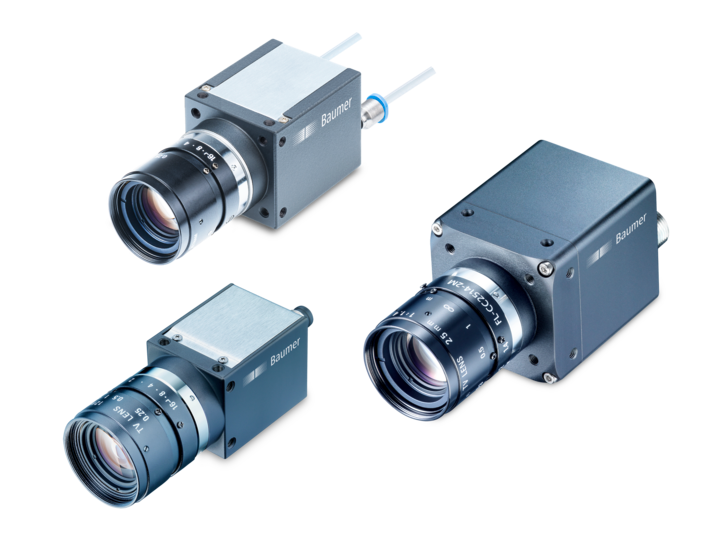
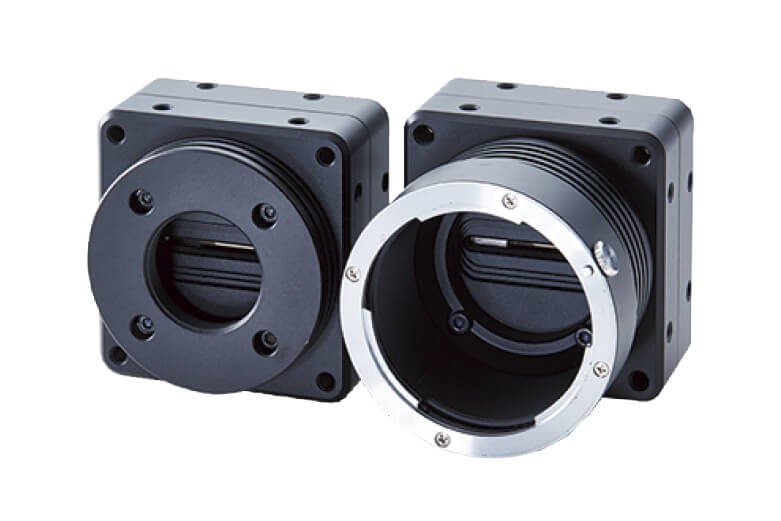
Basics of a Camera
At its core, a camera is a device designed to capture light and transform it into an image. This remains true whether we’re talking about a professional DSLR or a rugged machine vision camera used on a production line.
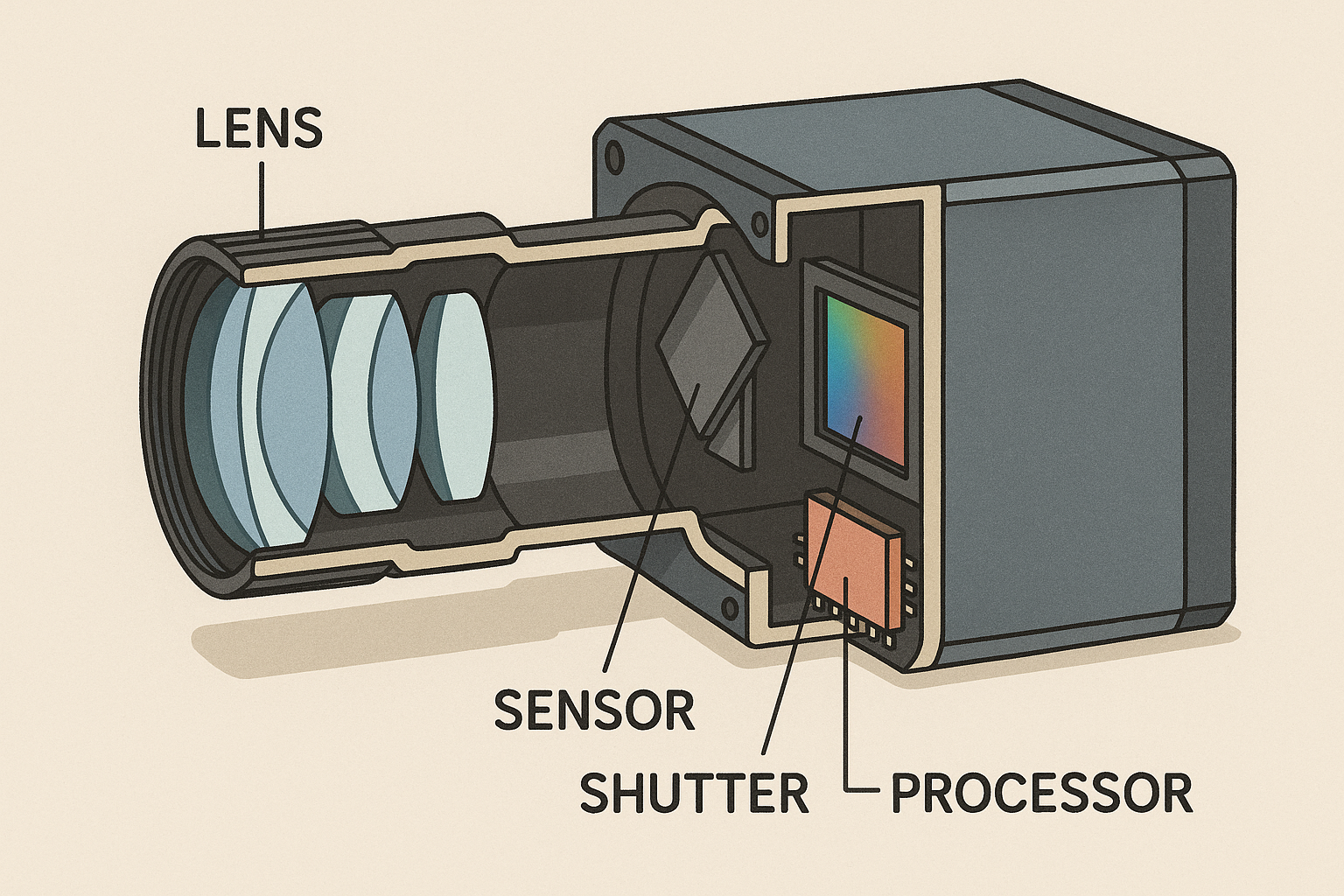
All cameras share four fundamental components, each playing a critical role:
1. Lens
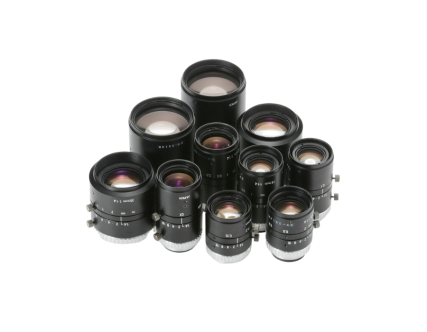
The lens collects and focuses incoming light onto the sensor. It directly affects:
- Field of View (FoV): How much of the scene the camera captures.
- Depth of Field (DoF): The range of distance where objects appear sharp.
- Image sharpness: Quality and clarity of the image.
Lenses come in a variety of configurations:
- Fixed focal length (prime) or variable (zoom).
- Different aperture sizes controlling light and DoF.
- Mount types (C-mount, CS-mount, F-mount, M12, etc.).
2. Image Sensor
This is the heart of the camera, converting light into electrical signals. Sensors can vary in:
- Size (larger sensors often deliver better dynamic range and lower noise).
- Resolution (megapixels).
- Sensitivity (quantum efficiency, noise performance).
Sensors are typically CMOS or CCD, with CMOS being more common today due to lower power and cost.

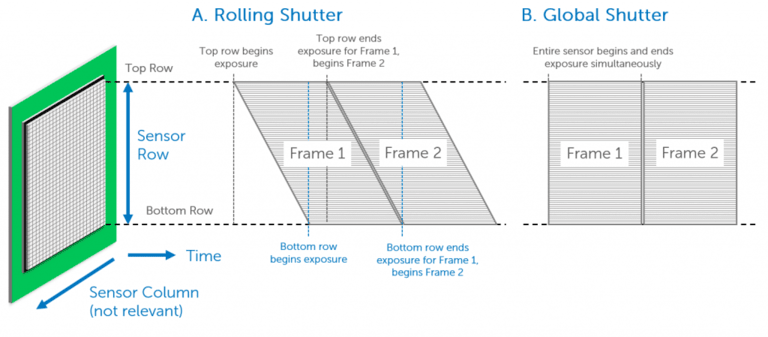
3. Shutter
The shutter controls how the sensor “sees” the scene over time:
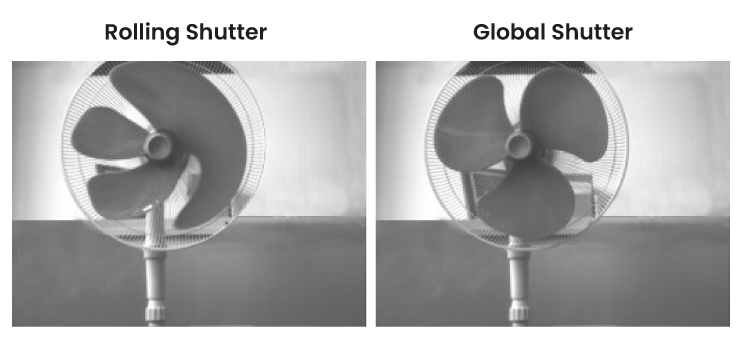
- Global Shutter: Exposes the entire sensor at once, ideal for moving objects, avoiding distortion.
- Rolling Shutter: Exposes the sensor line by line, more affordable but prone to motion artifacts.
4. Image Processor
Once the sensor captures the raw data, the image processor converts it into usable image formats. It handles:
- Color correction & white balance
- Compression formats (JPEG, PNG, BMP, etc.)
- Output formatting for display or storage
Analogy:
Think of a camera like a mini-computer with an eye: it sees, processes, and communicates images.
What Makes a Camera “Industrial”?
When you hear the term industrial camera, it refers to a class of cameras specifically designed for use in manufacturing, automation, and inspection environments — very different from the cameras found in smartphones or consumer DSLRs. Industrial cameras are engineered for continuous, reliable operation in demanding conditions, where accuracy, repeatability, and robustness are critical. Unlike consumer cameras, which are optimized for aesthetics, portability, and occasional use, industrial cameras focus on delivering consistent image quality under specific lighting, speed, and environmental conditions, often 24/7.
1. Key Advantages of Industrial Cameras
-
Long Operational Life and Rugged Design
Industrial cameras are built to withstand harsh conditions like dust, vibration, temperature extremes, and electromagnetic interference that are common on factory floors. Their housings are usually made of robust materials, and components are selected for longevity even under constant operation.
-
External Triggering and Synchronization
Many industrial applications require the camera to capture images at precisely the right moment — for example, when an object passes a certain point on a conveyor. Industrial cameras support external triggering, allowing them to synchronize with sensors, strobes, and other automation equipment with microsecond-level accuracy.
-
High Consistency and Calibration Options
Industrial processes often rely on exact measurements and repeatability. Industrial cameras are designed to deliver consistent output frame after frame, with low variation. Many support advanced calibration routines to correct lens distortion and maintain measurement accuracy, making them suitable for metrology and machine vision tasks.
-
Flexibility and Integration
They also offer a wide choice of sensors, resolutions, frame rates, interfaces (like GigE, USB3 Vision, Camera Link), and optics. This makes them easy to integrate into a variety of systems, from high-speed production lines to precision laboratory setups.
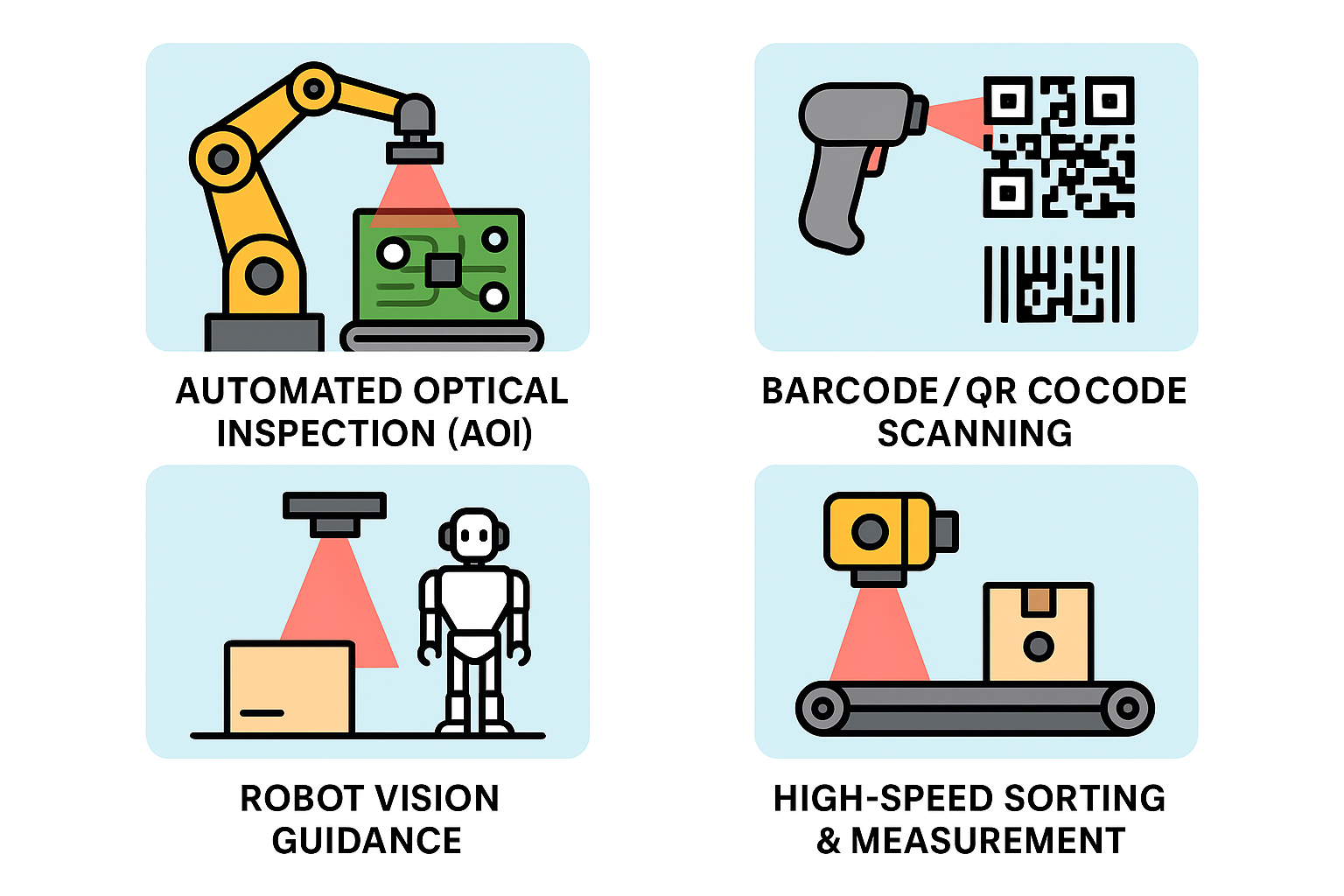
2. Typical Applications:
Here are some of the most common areas where industrial cameras are used:
-
Automated Optical Inspection (AOI)
In electronics manufacturing, AOI systems use cameras to inspect printed circuit boards (PCBs) or products for defects like missing components, soldering errors, or scratches — far faster and more accurately than human inspectors.
-
Barcode and QR Code Scanning
On high-speed conveyor lines, industrial cameras decode barcodes, data matrix codes, and QR codes quickly and accurately, even under poor lighting or with damaged labels.
-
Robot Vision Guidance
Industrial robots use cameras to “see” their workpieces, enabling precise pick-and-place operations, assembly tasks, or quality checks. Vision-guided robotics improves flexibility and reduces the need for mechanical positioning fixtures.
-
High-Speed Sorting and Measurement
On fast-moving production lines — for example, in food, packaging, or logistics — industrial cameras help sort items by size, color, or defect, and measure dimensions in real-time.
How to Choose the Right "Industrial Camera"?
Selecting the right industrial camera is all about matching its capabilities to the needs of your application. A camera that works perfectly in one scenario may fail to deliver in another, so it’s essential to understand which specifications matter most for your use case. Let’s break down the key factors to consider:
1. Resolution
The camera’s resolution determines how much detail it can capture.
- Higher resolution is crucial when inspecting tiny components, performing high-precision measurements, or capturing wide areas while maintaining detail.
- For tasks like barcode scanning or presence/absence detection, lower resolutions may suffice — and save cost.
2. Frame Rate
Frame rate, measured in frames per second (FPS), is critical in high-speed environments.
- If your production line moves quickly, you’ll need a camera that can keep up without introducing motion blur.
- High FPS cameras are ideal for sorting, counting, and capturing fast-moving objects.
- For slower or static inspections, standard frame rates (30–60 FPS) are usually adequate.
3. Shutter Type
The shutter type impacts how the camera captures motion:
-
Global Shutter: Exposes all pixels at once, eliminating motion artifacts and distortion. Ideal for moving parts, robotics, and high-speed applications.
-
Rolling Shutter: Exposes the image line by line, which can cause distortion in motion but is more affordable and works well for stationary or slow-moving scenes.
4. Connectivity
The interface determines how the camera communicates with your system and affects bandwidth, cable length, and ease of integration.
-
USB 3.0/USB3 Vision: Plug-and-play, widely supported, and sufficient bandwidth for many applications.
-
GigE (Gigabit Ethernet): Reliable, supports long cable runs (up to 100m), and ideal for distributed setups.
-
CoaXPress: Extremely high-speed data transfer, suited for ultra-high-resolution or high-frame-rate demands, typically in advanced inspection systems.
|
Interface |
Pros |
Cons |
|---|---|---|
| USB 3.0 |
- High bandwidth (~5 Gbps) - Plug-and-play, easy to use - Widely available and low cost |
- Limited cable length (3–5 meters without repeaters) - Susceptible to electrical noise |
| GigE (Gigabit Ethernet) |
- Long cable runs (up to 100m with standard Cat6 cables) - Robust and reliable - Good for distributed systems |
- Lower bandwidth (~1 Gbps) compared to USB 3.0 - Higher latency |
| CoaXPress |
- Extremely high bandwidth (up to 25 Gbps per cable) - Very low latency - Long cable lengths (up to 40m at full speed) |
- Expensive hardware and cables - More complex setup - Not as widely adopted |
5. Lens Compatibility
The camera is only half the story — the lens must match the sensor to ensure optimal image quality.
- Make sure the lens is designed for the sensor size and mount type.
- Larger sensors require lenses with a correspondingly large image circle, otherwise corners may vignette or lose sharpness.
- Also consider the desired field of view, working distance, and depth of field.
6. Environmental Conditions
Finally, don’t overlook the operating environment.
- Industrial cameras may be exposed to heat, dust, moisture, vibration, or chemicals.
- For harsh conditions, choose cameras with rugged housings, shock/vibration resistance, and appropriate ingress protection ratings (e.g., IP67 for dust- and waterproofing).
- Temperature range specifications are also important if the camera will operate in hot or cold environments.
7. Final Tips for System Integrators
When integrating an industrial camera into a vision system, it’s tempting to focus on cost — but remember, the cheapest option isn’t always the most effective. To ensure long-term success and reliability:
-
Match the Camera to the Application Needs
Choose a camera whose specifications (resolution, frame rate, shutter type, etc.) align closely with your application requirements. Over-specifying wastes budget; under-specifying risks poor performance.
-
Consider the Whole Vision System
A camera doesn’t work in isolation. Make sure your lighting setup, lenses, and image processing hardware are all compatible and optimized for the chosen camera. Poor lighting or the wrong lens can negate the benefits of a high-end camera.
-
Plan for Easy Software Integration
Look for cameras that come with robust software development kits (SDKs) and drivers that support the platforms and languages you use — such as LabVIEW, Python, or C++. This can save significant development time and simplify troubleshooting.
-
Test in Real Conditions
Whenever possible, prototype your system with real parts and under actual production conditions. This helps identify any bottlenecks, environmental challenges, or unforeseen issues early on.
By keeping these points in mind, system integrators can design more efficient, reliable, and maintainable machine vision systems — and avoid costly redesigns later.
Conclusion
Industrial cameras are a cornerstone of modern automation, enabling precision, reliability, and speed in applications ranging from inspection to robotics. Unlike consumer-grade cameras, they are purpose-built for the rigors of manufacturing environments — offering robust housings, external triggering, high consistency, and seamless integration with other systems.
When choosing the right camera, it’s essential to look beyond the specs on paper. Consider your application’s specific needs: the level of detail required, the speed of the process, environmental conditions, and how the camera fits into the larger system. Evaluate factors such as resolution, frame rate, shutter type, connectivity, and lens compatibility carefully to ensure the camera delivers optimal performance without unnecessary cost.
For system integrators, success comes from thinking holistically. The camera must work in harmony with the lighting, lenses, software, and hardware around it. Favor cameras with strong SDK and driver support for your preferred development platforms, and always test your setup in real-world conditions to uncover and address challenges early.
By aligning the right technology with the right application and planning for integration from the start you can build machine vision systems that enhance quality, efficiency, and reliability, giving your operations a competitive edge.